Good morning.

Everything before 2026 was a draft, actually.
Here’s what you’ll find in today’s newsletter:
Let’s get into it. ✌️
⚠️ Meta may add discounts to copied ads
Duplicating an ad for BFCM? Bram Van der Hallen spotted a warning when duplicating an ad: Meta may show an offer it found on your site or in another ad, even if you turned promotions off on the original.
Before you duplicate your next batch, go to Commerce Manager → Settings → Offer merchandising. If you don’t want Meta pulling in offers automatically, turn off Detected offers. Then preview the copy to make sure it shows the deal you intended.
🎨 Google gives your product photos a holiday makeover
Google’s latest Creative Drop highlights three ways to get holiday campaigns ready: translate campaigns into 15 languages inside Google Ads, give existing product photos a festive backdrop in Asset Studio, and turn images into video creative with Gemini Omni 1.2.
Still short on BFCM creative? Start with one bestselling product and a few real photos. Try a holiday scene or a new video hook, then check that the product and packaging still look like what customers will actually get.
🛒 Google’s cart can tell shoppers when prices drop
Search Engine Watch spotted a new pop-up after shoppers add an item from Google’s free product listings. It explains that items are saved in one cart across Google and that shoppers can get updates like price drops. It was spotted on desktop and mobile, but that doesn’t confirm everyone has it.
See the screenshots in the report. Before BFCM, check that your sale prices and stock in Merchant Center match what shoppers see on your site.
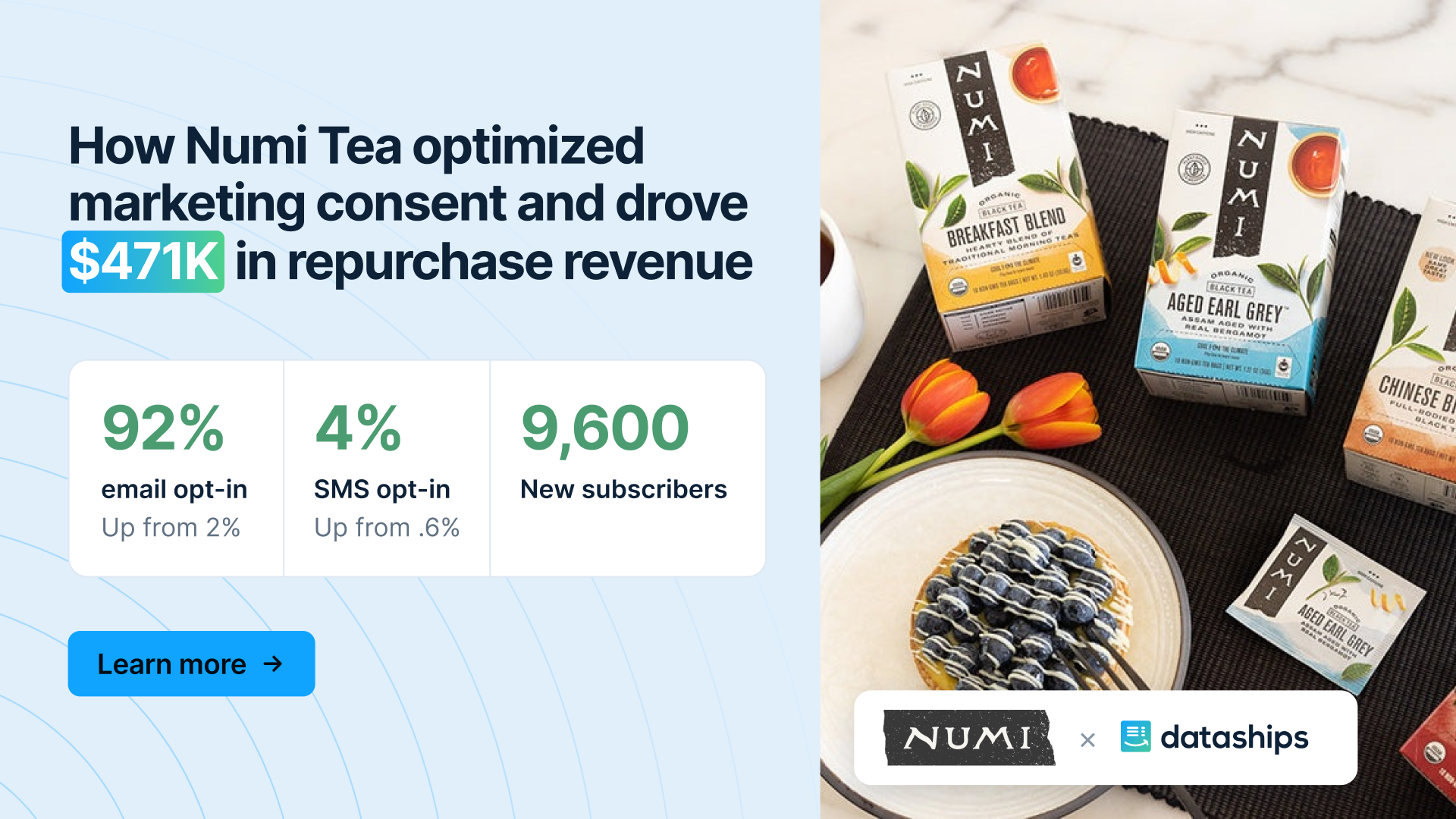
👀 Numi Tea’s email opt-in rate went from 2% to 92%
Still think the only way to get more opt-ins is to tweak your popup for the 1,000th time?
Numi Organic Tea used Dataships to change how it collected direct marketing consent across forms, checkout, and confirmation pages.
Dataships helps 900+ brands grow email, SMS, and WhatsApp audiences while staying compliant everywhere they sell.
* sponsored
📊 Is your Meta tracking ready for BFCM?
Your BFCM creative might be ready. But is your tracking?
Meta leans on purchase data to measure results and figure out who to show your ads to. So before holiday budgets go up, the Pilothouse Meta team recommends making sure your browser pixel and Conversions API (CAPI) are actually recording purchases correctly.
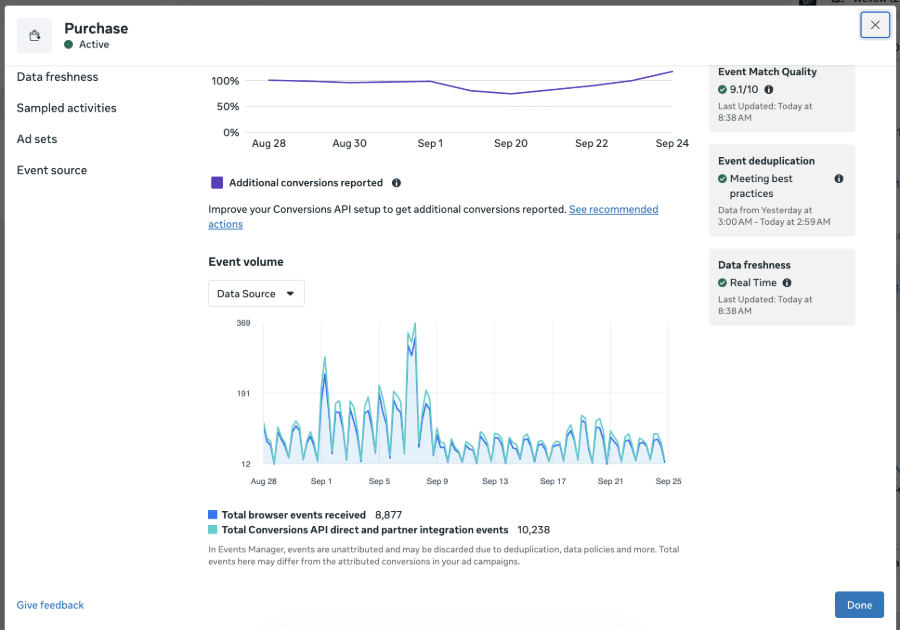
1. Check browser and server events
First, make sure purchases are coming in through both your pixel and CAPI, and that Meta isn’t counting the same purchase twice.
In Events Manager:
2. Compare your purchase events with Shopify orders
Pull your deduplicated Purchase count from Events Manager and your Shopify online-store orders for the same dates and time zone. Pilothouse suggests looking at the last 7, 14, and 28 days to spot any gaps or sudden changes.
As a rough benchmark, Pilothouse aims for Meta to capture at least 90% of eligible Shopify online-store purchases across your deduplicated browser and server events. Just leave out test orders and any sales channels your integration doesn’t track, and give delayed events a little time to show up.
If Meta’s number is higher than Shopify’s, look for duplicate events or differences in what each one counts. If it’s lower, check your integration, consent settings, and browser tracking. Some of that gap might just be customers opting out of tracking, and that’s normal.
3. Check purchase values and customer info
Open the Purchase event and look through some sampled activity.
Then check Event Match Quality for any missing customer info and Meta’s suggestions for improving it. Make sure your integration formats and hashes things like email and phone the way Meta needs. (Not everything needs to be hashed, though.)
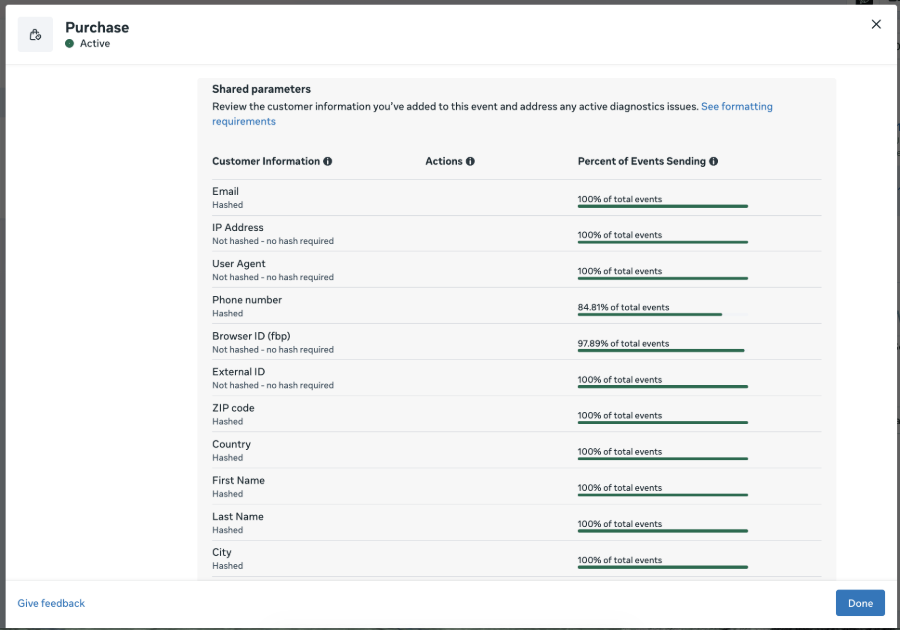
Sampled events are only a spot check, so run a test purchase all the way from checkout to Events Manager too.
And make these checks a regular habit. Catching a missing value or a double-counted purchase now gives you time to fix it before BFCM traffic makes it a much bigger problem.
🎧 A nine-figure brand stopped growing. Here's what AI helped uncover
A nine-figure ecommerce brand had stopped growing, and its team couldn't figure out why.
They were still running campaigns, producing creative, and investing in acquisition. So what was holding them back?
On the latest episode of AKNF, Pilothouse strategists Rafael and Duncan join Eric to explain how they're using AI to diagnose growth problems that can get buried under mountains of marketing data.
In this case, the team discovered that 70% of the brand's media spend was concentrated in just three markets, limiting its ability to reach new customers.
The interesting part is how they got there.
Rafael explains how he combines experience with AI-powered analysis to investigate everything from media distribution to unit economics, using the technology to test hypotheses and identify potential bottlenecks.
And the efficiency gains are significant.
In another project, a market analysis that would normally take six months was completed in two weeks, with AI handling much of the technical data processing.
But Duncan also shares what happened when he tried letting AI run his strategy framework independently. The results were surprisingly convincing, and wrong.
▶️ Watch here | 🎧 Listen on Spotify
⏰ Black Friday is less than 3 weeks away, and soon your Meta ads will cost more to win fewer customers. Protect your ROAS with Clustie’s free Shopify Peak Season Playbook. Grab your free copy. *
* sponsored